
This guide describes the procedures for resolving the MSCOMCTL.OCX file error when running the Smart BM parameterization software.
When this problem occurs, the system displays the following error message:
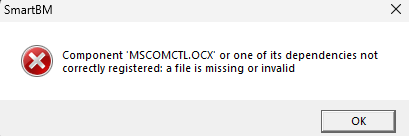 |
| Imagem 1 - Error message |
To resolve this failure, it is necessary to register the MSCOMCTL.OCX file on your machine. To download the file, click on the icon indicated below and, then, follow the installation instructions in this guide.
 |
| Image 2 - File for download |
With the file available, copy and paste it into the following folder on your system:
C:\Windows\SysWOW64
Open the command prompt on your machine and run it as an administrator.
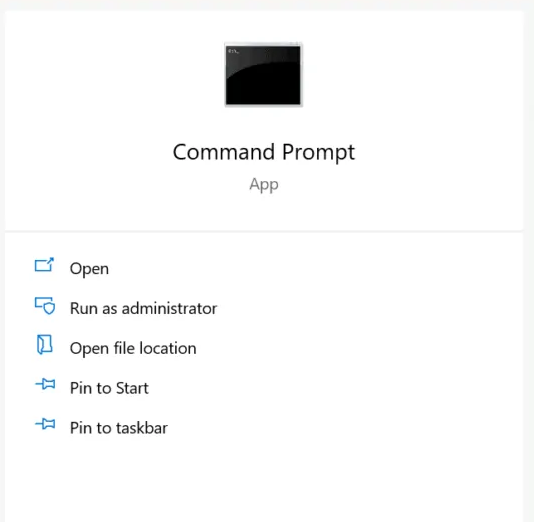 |
| Image 3 - Opening command prompt as administrator |
On the command line follow these steps:
- Type cd .. and press Enter.
Type cd SysWOW64 and press Enter.
Type regsvr32 MSCOMCTL.OCX and press Enter.
After performing this entire procedure, a success message should appear:
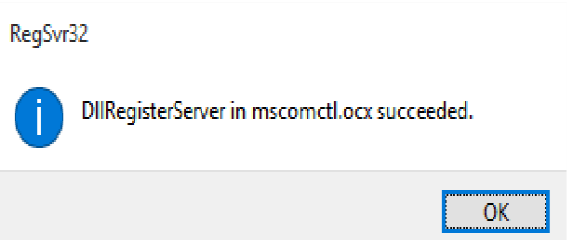 |
| Image 4 - Success message |
After completing these steps, run Smart BM again to confirm that the system is working correctly.
If there are any problems or if you have any difficulty with the procedure, do not hesitate to get in touch!
Contato !
Telefone:
+55(11)2410–1190 — Ramal: 425
 Whatsapp:
 +55(11)97225–8683
 e-mail:
 sac@treetech.com.br

Was this article helpful?
That’s Great!
Thank you for your feedback
Sorry! We couldn't be helpful
Thank you for your feedback
Feedback sent
We appreciate your effort and will try to fix the article