
Information !
Updating the BM via bootloader is only possible on BM devices with firmware later than version 3.00.
Have the necessary files and software ready.
- .img file that will perform the firmware update of the IEDs — this file is unique for each type of IED.
The files will be provided by Treetech's support team.
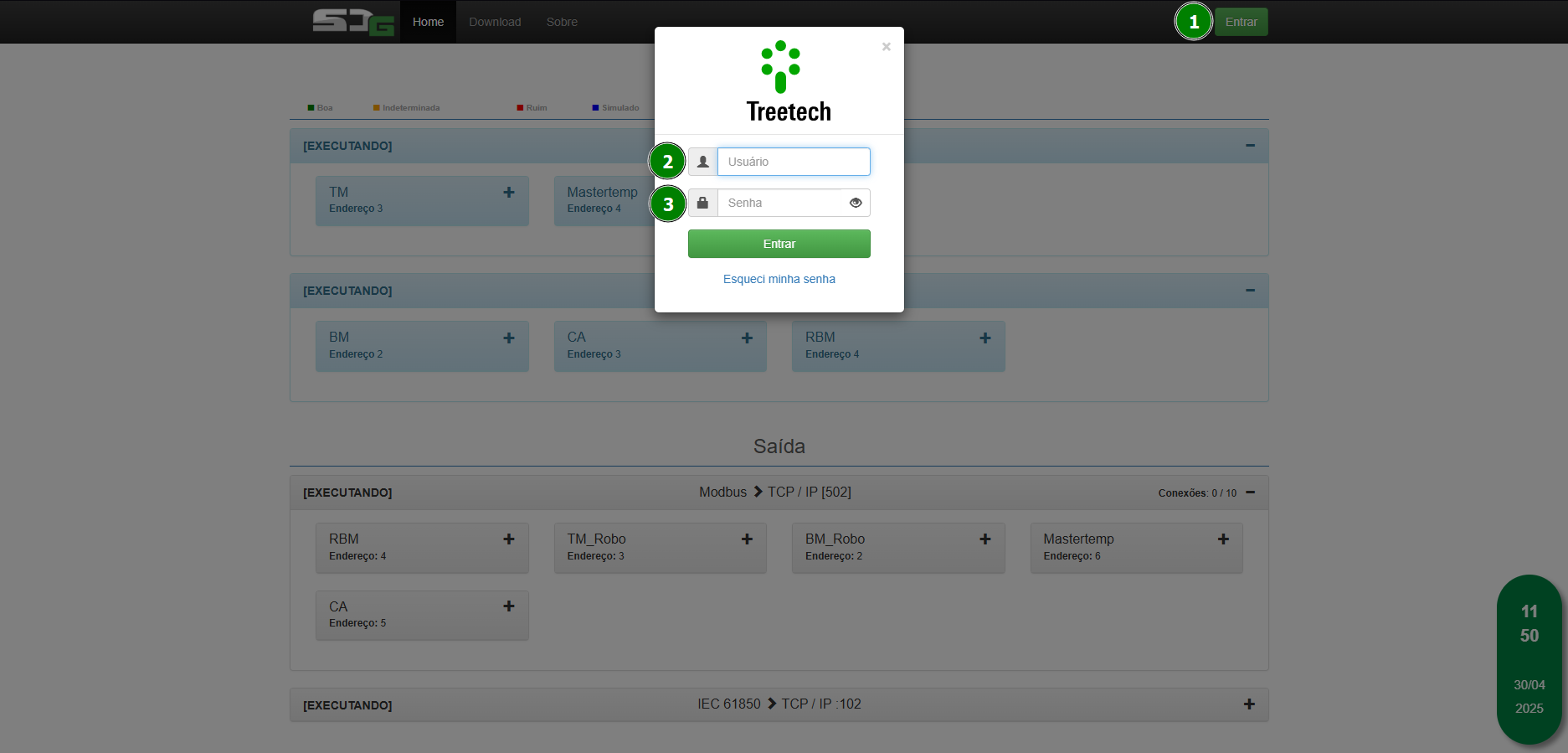
Access the SDG web page.
Click the button. |  | to access the other SDG settings and log in. |
- Log in with the default user to access the SDG tools.
Information !
Default user: default
Default password: Default123
NOTE: If the system version is lower than 2.3.1, use default as both the username and the default password.
- Keep the system updated to the latest version to avoid any bugs caused by outdated software.
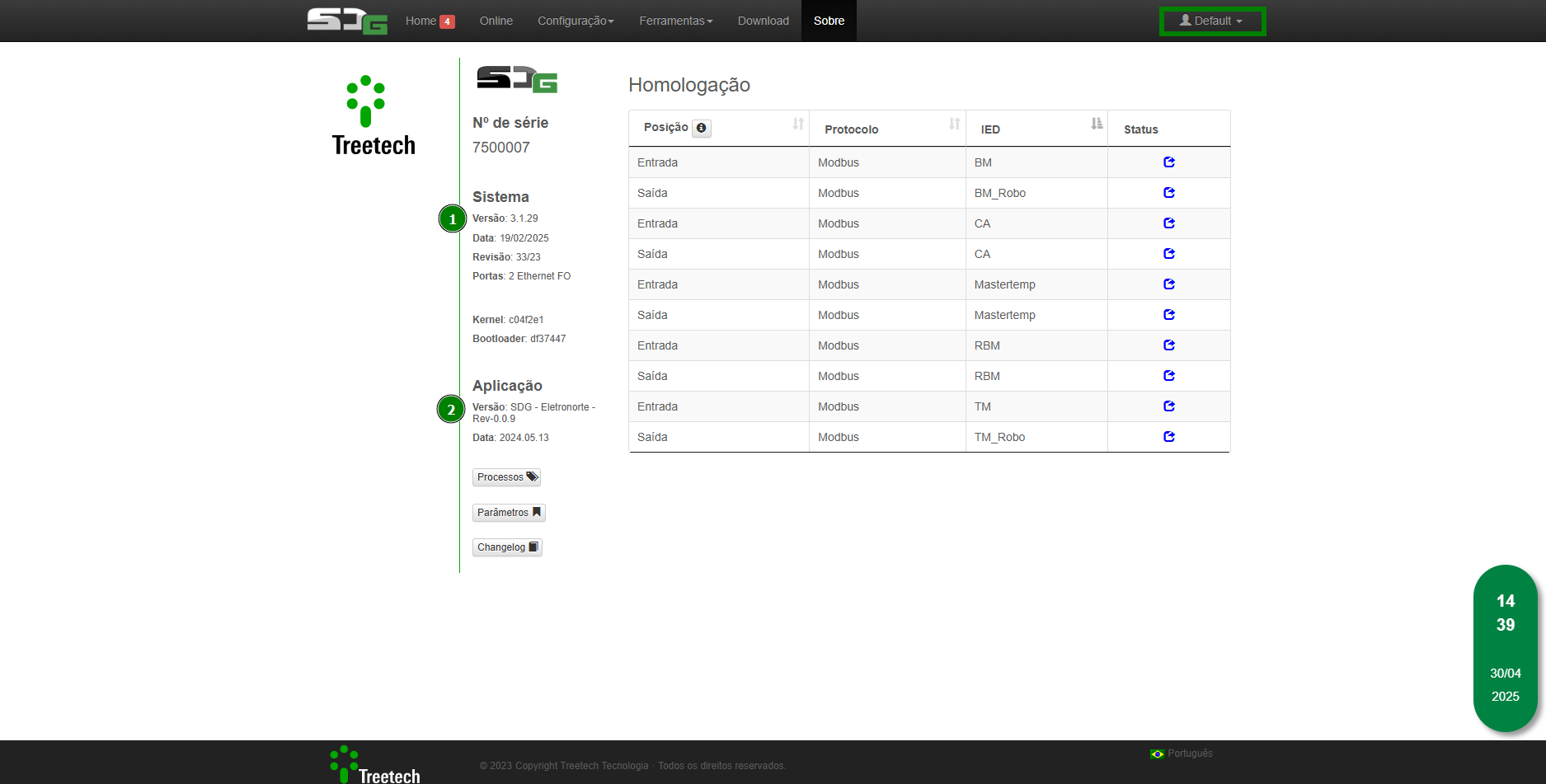
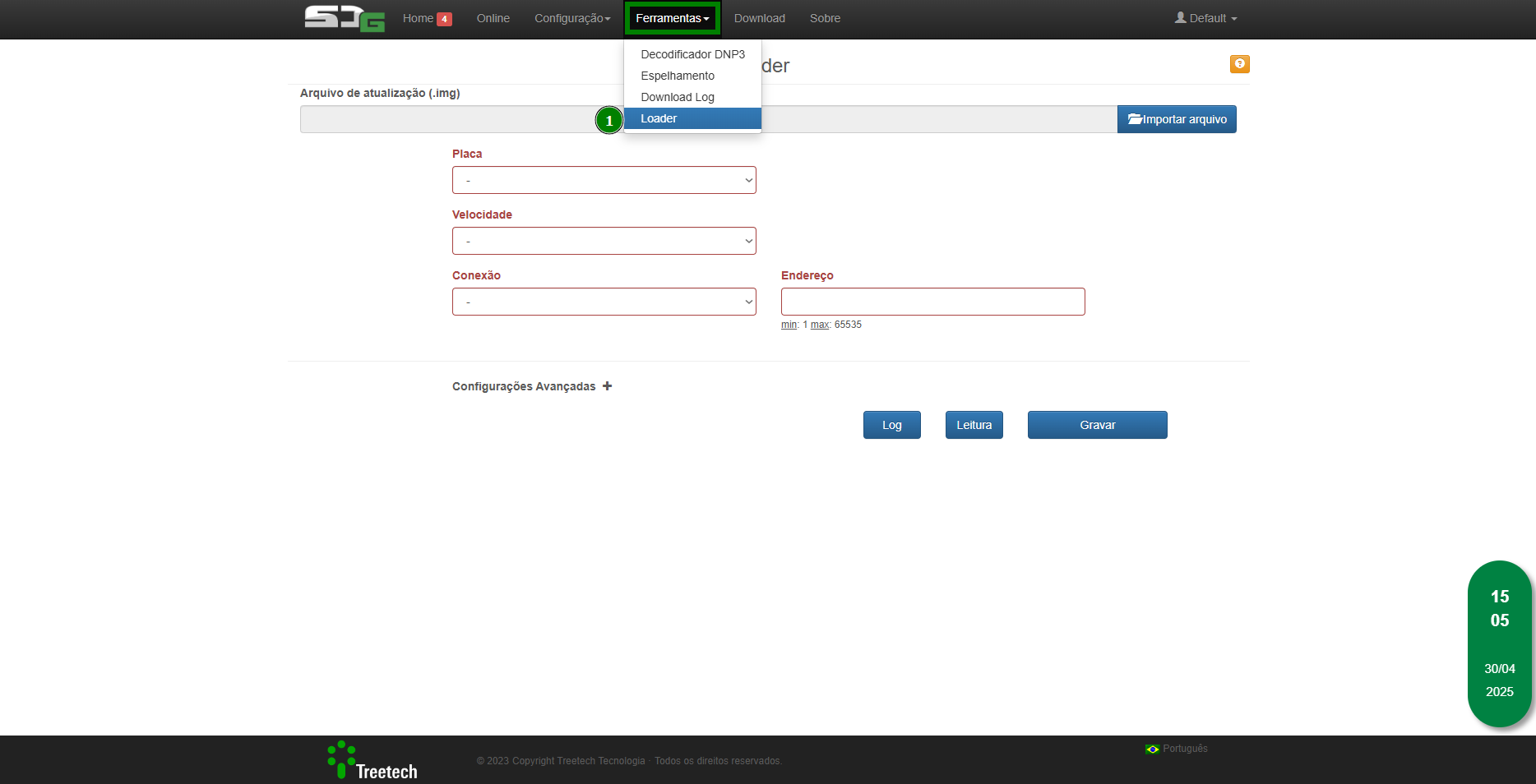
With the correct system version, the Loader tool should be enabled:
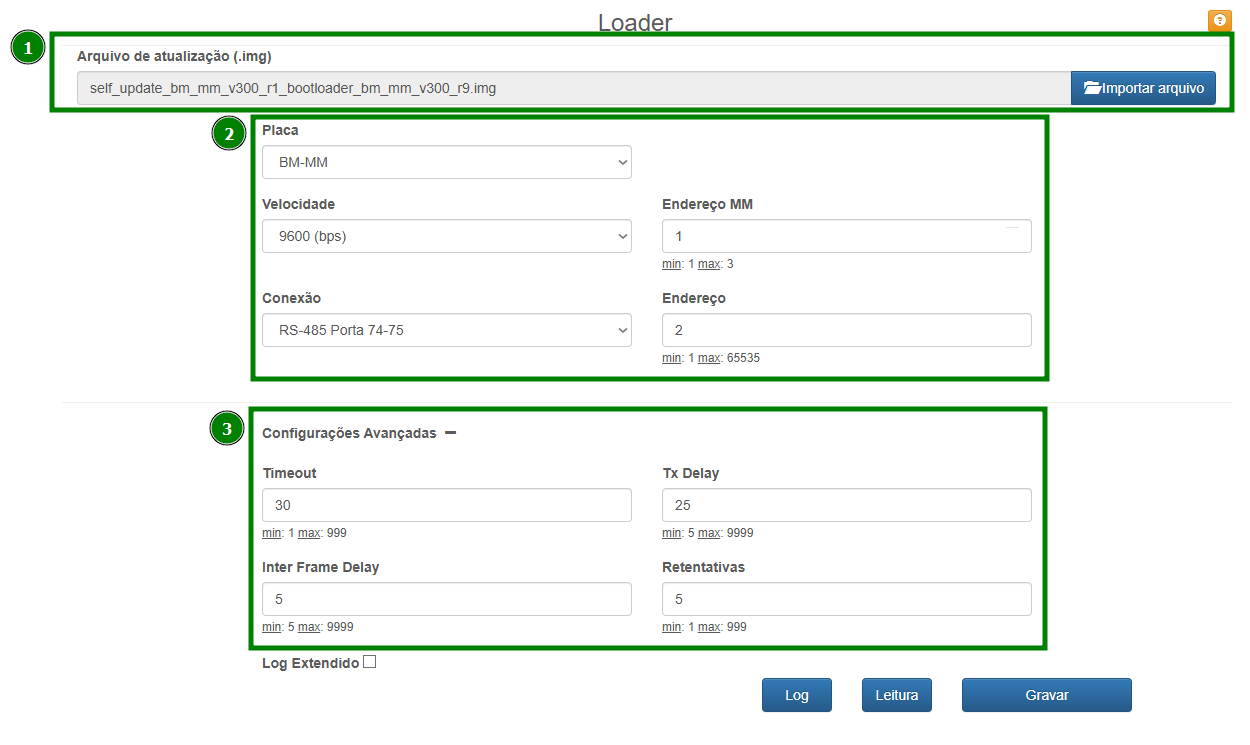
Fill in the correct information.
Self-Update Procedure for BM-MM:
- Self-Update File for BM-MM Bootloader
- Board: BM-MM (automatically filled by the software, with the correct file).
- Speed*²: 9600
- Connection*²: RS-485 Port 74-75
- MM Address*¹ : 1
- Address*³: 2
Advanced Settings:
- Timeout: 30
- Inter Frame Delay: 5
- TX Delay: 25
- Retries: 5

Aviso !
- The name of the provided file must not be changed; the board to be updated will be indicated by its specific name.
- To avoid loss of communication with the equipment, it is necessary that the order given in this guide be followed.
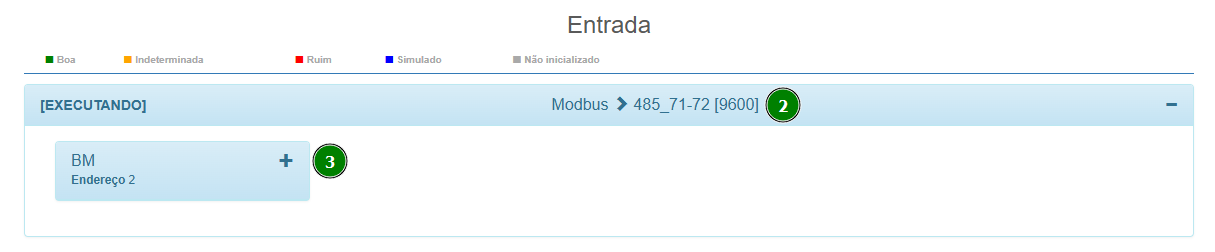

Nota !
- *¹ MM Address will depend on the number of MM devices the customer has, ranging from 1 to 3.
- *²³ Indicated in the equipment's entry on the site, respectively.
Finally, simply click WRITE.
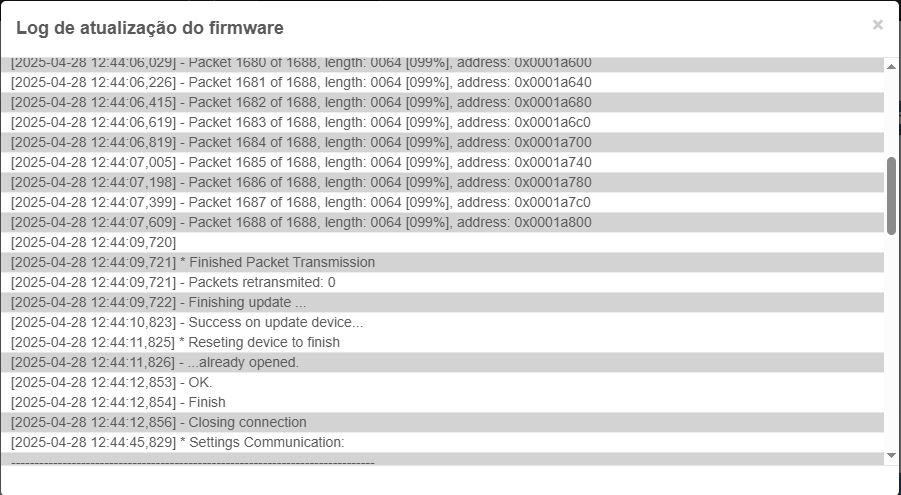
If the procedure is completed successfully, the following message will be displayed:
Update BM MM
- Update File for BM MM
- Board: BM-MM (automatically filled by the software, with the correct file).
- Speed: 9600
- Connection: RS-485 Port 74-75
- MM Address: 1
- Address: 2
Advanced Settings:
- Timeout: 30
- Inter Frame Delay: 5
- TX Delay: 25
- Retries: 5
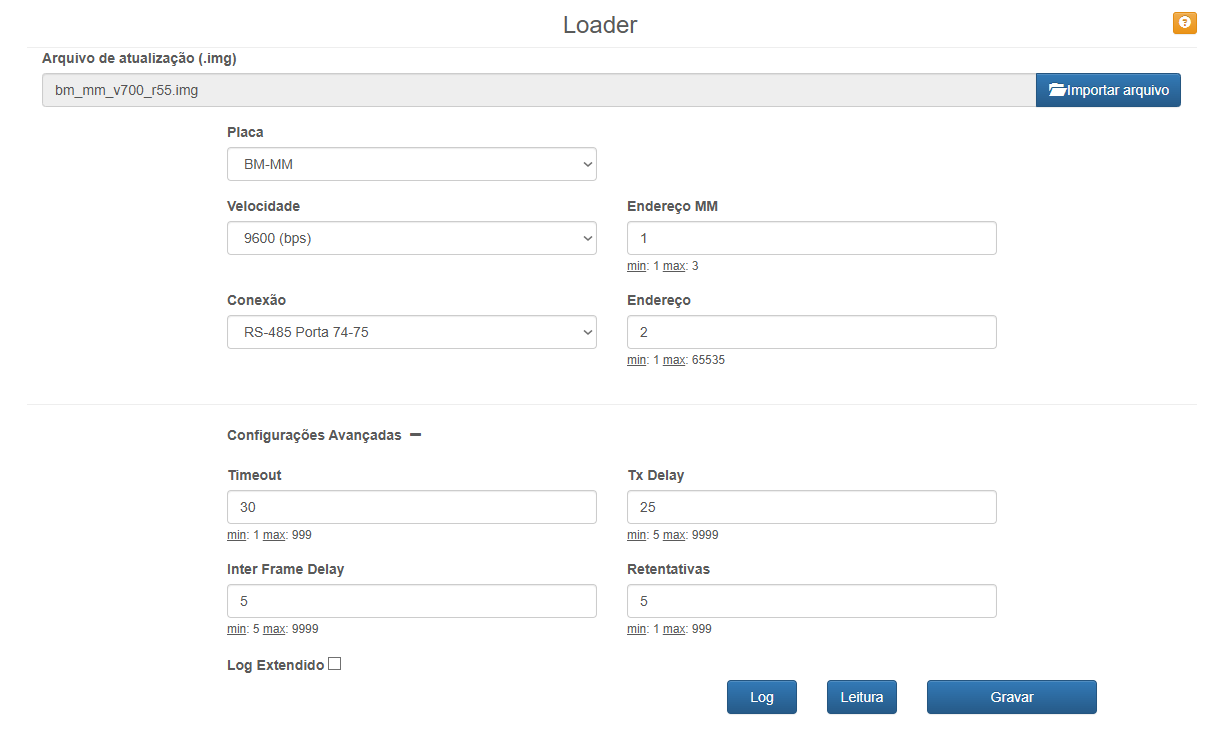
Finally, simply click WRITE.
Self-Update BM HMI INF
- Self-Update File BM HMI INF Bootloader
- Board: Lower BM-HMI (automatically filled by the software, with the correct file)
- Speed: 9600
- Connection: RS-485 Port 74-75
- Address: 2
Advanced Settings:
- Timeout: 30
- Inter Frame Delay: 5
- TX Delay: 25
- Retries: 5
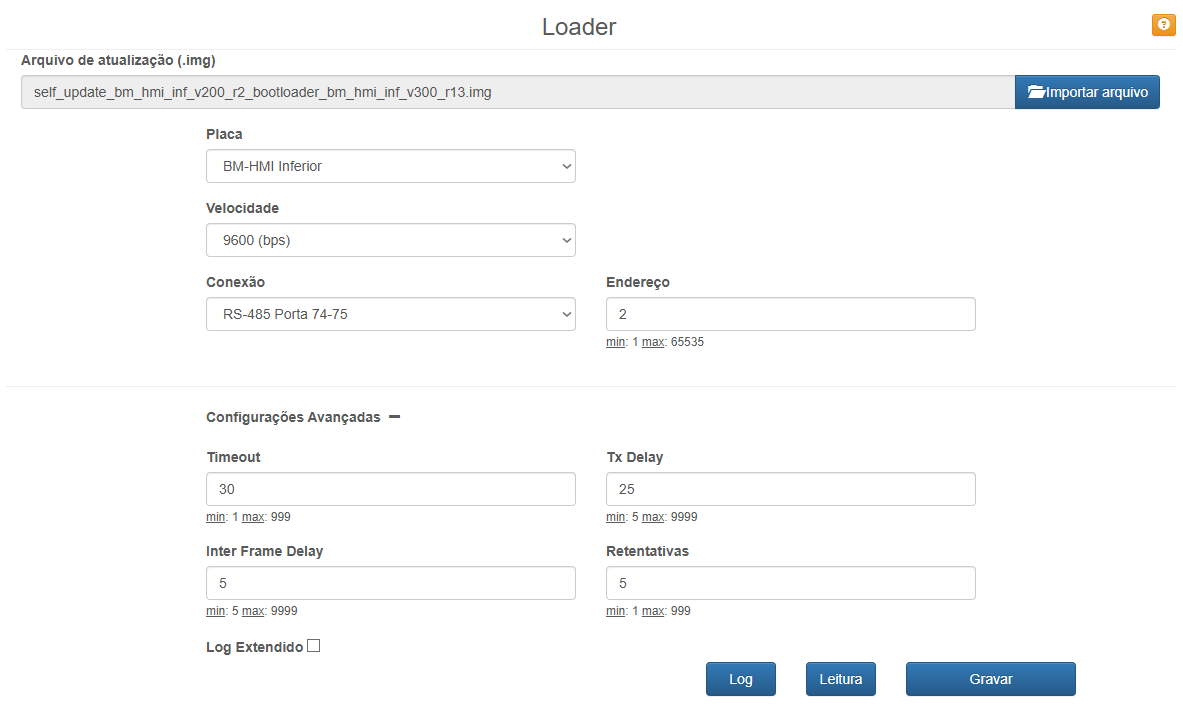
Finally, simply click WRITE.
Atualização BM HMI INF
- Update File BM HMI INF
- Board: Lower BM-HMI (automatically filled in by the software with the correct file)
- Speed: 9600
- Connection: RS-485 Port 74-75
- Address: 2
Advanced Settings:
- Timeout: 30
- Inter Frame Delay: 5
- TX Delay: 25
- Retries: 5
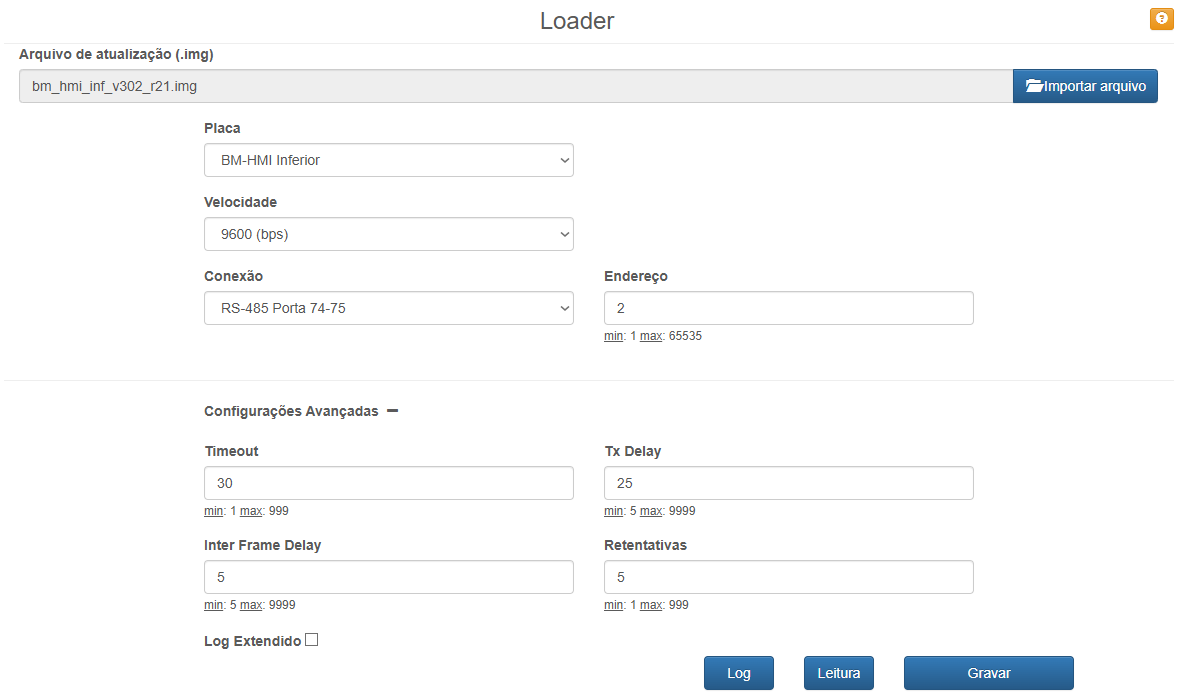
Finally, simply click WRITE.
Self-Update BM HMI SUP
- Self-Update File BM HMI SUP Bootloader
- Board: BM-HMI Superior (automatically filled in by the software with the correct file)
- Speed: 9600
- Connection: RS-485 Port 74-75
- Address: 2
Advanced Settings:
- Timeout: 30
- Inter Frame Delay: 5
- TX Delay: 25
- Retries: 5
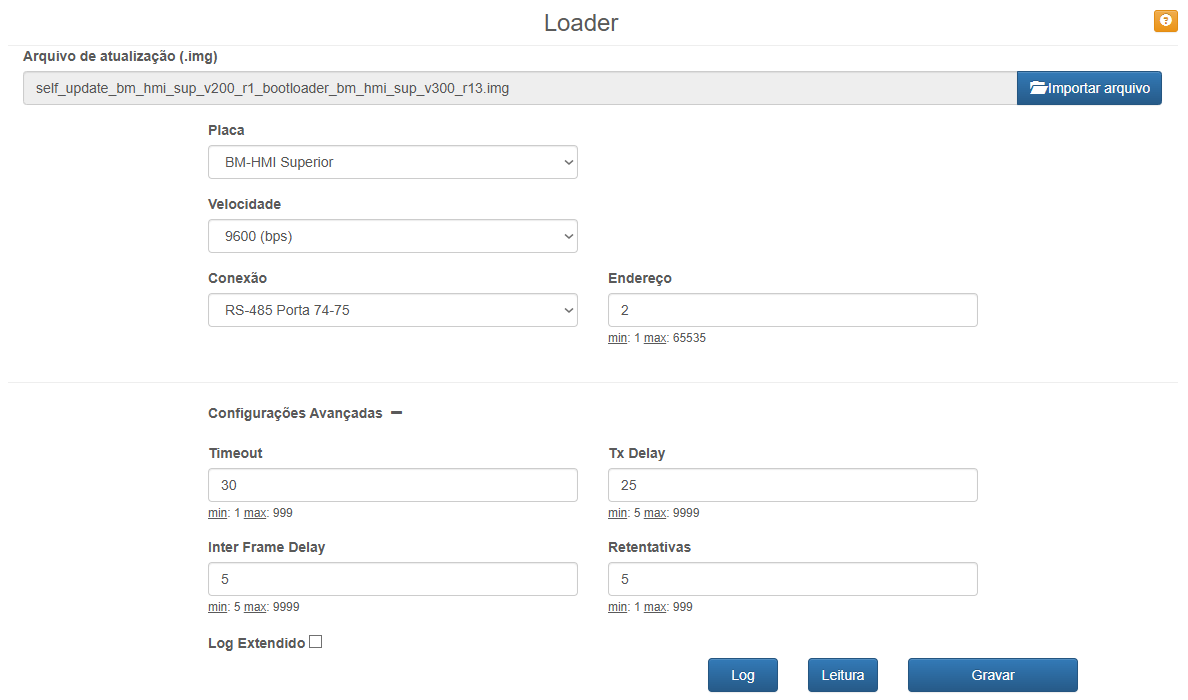
Finally, simply click WRITE.
Update BM HMI SUP
- Update File BM HMI SUP
- Board: BM-HMI Superior (automatically filled in by the software with the correct file)
- Speed: 9600
- Connection: RS-485 Port 74-75
- Address: 2
Advanced Settings:
- Timeout: 30
- Inter Frame Delay: 5
- TX Delay: 25
- Retries: 5
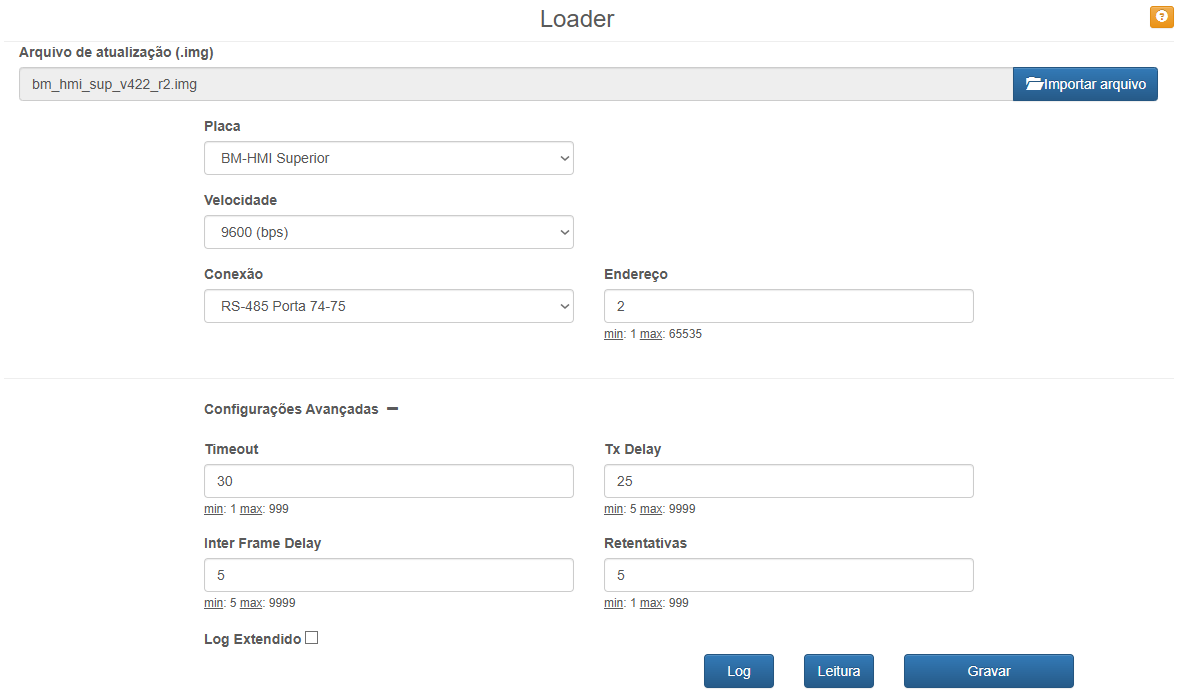
Finally, simply click WRITE.
Finishing

Informação !
Once the firmware is updated, an EEPROM self-diagnosis may occur.
To correct it, it is necessary to write the value 1 to Holding Register 19300. This can be done using the Modbus Poll software.
For more information regarding how to use Modbus Poll: Guia de como utilizar o software Modbus Poll.
Was this article helpful?
That’s Great!
Thank you for your feedback
Sorry! We couldn't be helpful
Thank you for your feedback
Feedback sent
We appreciate your effort and will try to fix the article